Loading...
Searching...
No Matches
Getting started
From downloading the editor to your own code running on a device.
Install the editor
Download the archive for your computer from the latest release, unpack it anywhere and run DekiEditor. The compiler is inside the archive, so there is nothing else to install.
Create a project
Choose File → New Project..., give the project a name and a location, and leave the target platform on Desktop. A device comes later, and the same project runs on both.
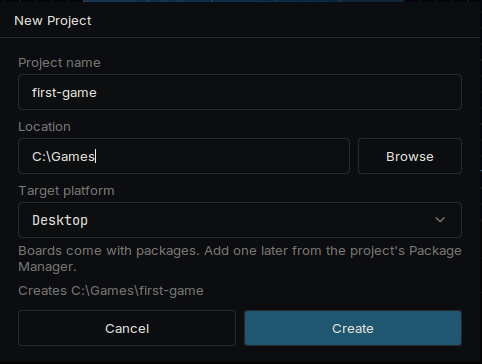
The New Project dialog
The first time a project opens, the editor downloads and builds its packages. This takes a few minutes. Later opens take seconds.
The new project has one scene with three objects: a Camera, a gradient called Sky and a text called Hello.
Look around
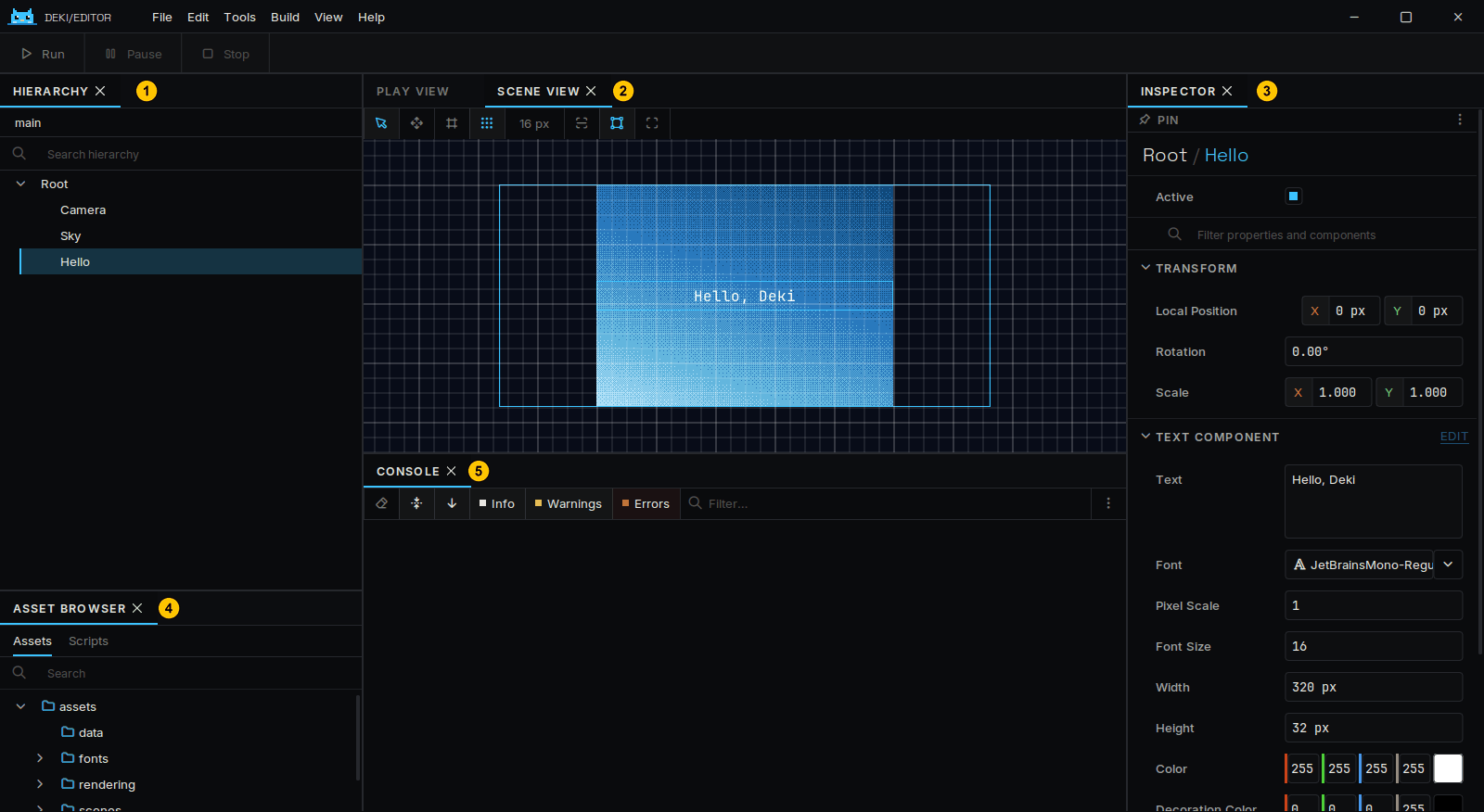
The editor, with its panels numbered
| Panel | What it is for | |
|---|---|---|
| 1 | Hierarchy | The objects in the scene |
| 2 | Scene View | Where they are; drag them here |
| 3 | Inspector | The components of the selected object and their values |
| 4 | Asset Browser | Your files, with a Scripts tab for your code |
| 5 | Console | Messages from the engine and your code |
An object is a position in the scene. What it does comes from its components, and everything you see in the Inspector is a component.
Change something
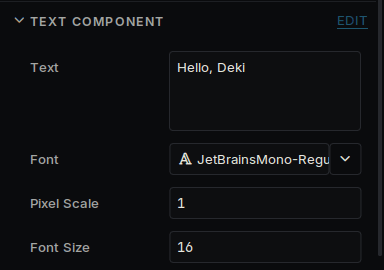
The Text field in the Inspector
- Select Hello in the Hierarchy.
- In the Inspector, change Text to something else.
- Press Run at the top left of the window, or Ctrl+P.
- Press Stop, then save the scene with Ctrl+S.
Changes made while the game is playing are thrown away when it stops. The Inspector says so while it is playing.
Distances are in meters. The camera shows 15 meters from top to bottom, whatever the size of the screen: see Units and Screens.
Write a component
In the Asset Browser, open Scripts, right-click and choose Create C++ Script. Name it Bob. The editor creates src/Bob.h and src/Bob.cpp. Open them in any text editor and replace what is there.
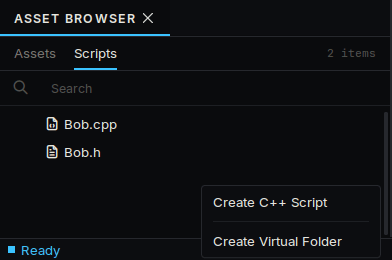
Create C++ Script in the Scripts tab
src/Bob.h:
#pragma once
#include <deki/Engine.h>
DEKI_CATEGORY("Game")
DEKI_DESCRIPTION("Moves the object up and down.")
class Bob : public Deki::Component
{
public:
// DEKI_EXPORT shows a field in the Inspector and saves it in the scene.
float distance = 3.0f;
float secondsPerTrip = 2.0f;
void Start() override;
void Update() override;
private:
float m_StartY = 0.0f;
float m_Elapsed = 0.0f;
};
Definition AssetLookupTable.h:17
src/Bob.cpp:
#include "Bob.h"
#include <cmath>
void Bob::Start()
{
m_StartY = GetOwner()->GetWorldY();
}
void Bob::Update()
{
// The time since the last frame is in milliseconds.
m_Elapsed += Deki::Time::GetDeltaTimeF() * 0.001f;
const float y = m_StartY + std::sin(m_Elapsed * 6.2831853f / secondsPerTrip) * distance;
GetOwner()->SetWorldPosition(GetOwner()->GetWorldX(), y);
}
static float GetDeltaTimeF()
Duration of the last frame in milliseconds, with sub-millisecond precision.
Save both files and go back to the editor. It sees the change and rebuilds your code; the progress is in the Activity panel, and compile errors are listed there.
Select Hello, press Add Component and pick Bob. Its two fields are in the Inspector. Press Run and the text moves up and down. Change a field or the code while it runs and try again.
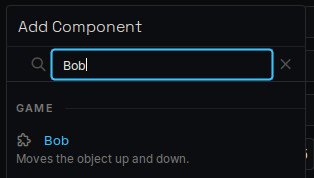
Bob in the Add Component list
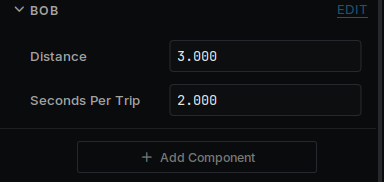
Bob's fields in the Inspector
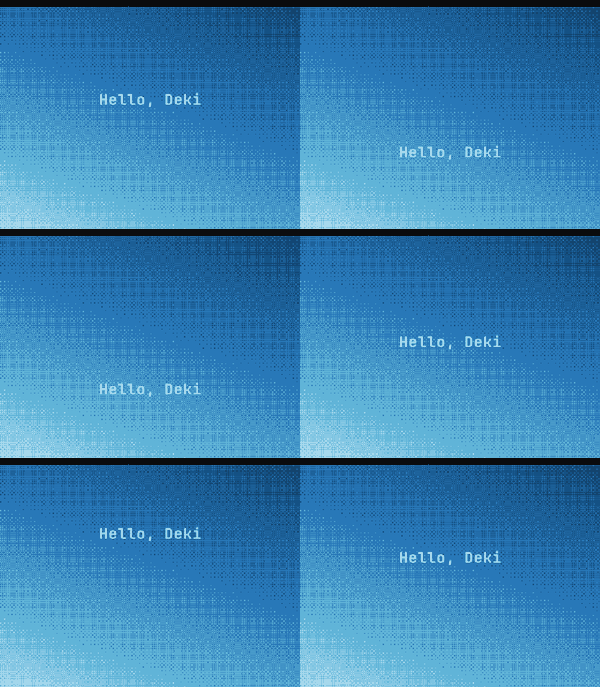
The text moving up and down while the game plays
Awake, Start and Update are the calls a component can receive. It declares the ones it needs.
Put it on a device
- Open View → Package Manager and install your device's package. Every supported device has a page under Devices that names it.
- Open Build → Build Panel and choose the device in the list of platforms. Its boot scene and settings are copied into your project's platforms/ folder, and they are yours to change.
- The panel's Toolchain section says whether the device's compiler is installed. If it says Not installed, open Build → Platform Manager..., go to Toolchains and install it. This is a large download, needed once.
- Connect the device, choose it under Deploy To, and press Build & Flash, or Build & Install on a handheld that loads from an SD card.
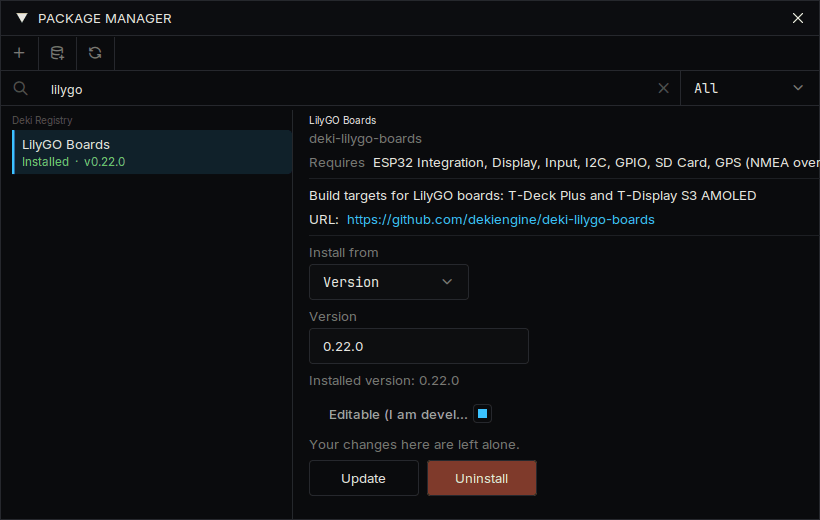
A device's package in the Package Manager
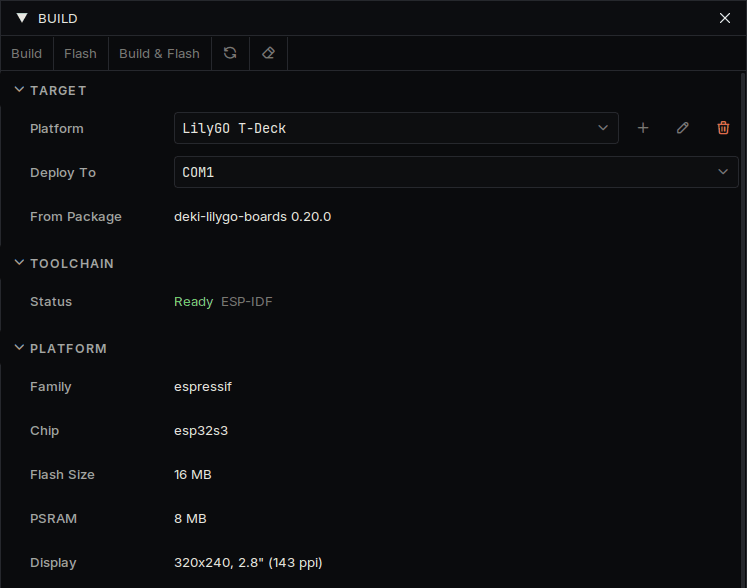
The Build panel with a device chosen
The first build for a device takes several minutes. The scene you made runs on it unchanged. To add a device Deki does not have yet, see Use your own device.
Or play it in a browser. Choose Web in the list of platforms and press Build & Open in Browser: the game is built into a web page and opens in your browser. The first time, the panel installs Emscripten, the compiler for the web (about 2 GB). It is the same project, so what runs on the device runs there too, and the page's files can go on any website.
Where to go next
- Project layout: what is in the project folder
- Your first game and Your first app: build something whole
- Components: more about writing your own code
- Sprites, Text and Input: images, words and controls
- UI widgets: buttons, sliders, lists
- Speed: the tools that show where time and memory go
- The list of packages on the front page for sound, tilemaps, physics, radio and sensors