로딩중...
검색중...
일치하는것 없음
Sprites
이 가이드는 아직 번역되지 않았습니다.
How to get an image into your game and on the screen.
Add an image
Drag a PNG from your computer onto the Asset Browser, or copy it into the project's assets folder. The editor imports it on its own.
Show it
- Select an object, or make a new one.
- Press Add Component and pick Sprite Component.
- In Sprite, choose your image.
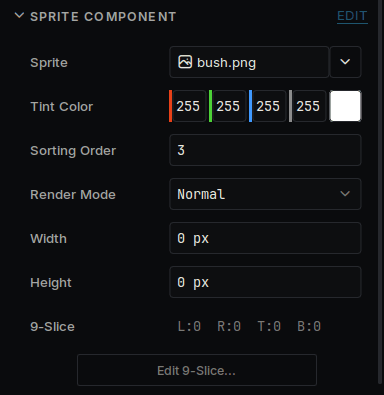
A sprite in the Inspector
| Field | What it does |
|---|---|
| Tint Color | Multiplied into every pixel. White leaves the image alone. |
| Sorting Order | Higher numbers draw on top. |
| Render Mode | Normal draws it once. Tiled repeats it to fill Width and Height. Nine Slice stretches the middle and keeps the corners, for panels and buttons. |
For Nine Slice, press Edit 9-Slice... and drag the four guides to mark the corners.
Cut a sheet into frames
When one image holds many sprites:
- Select the image in the Asset Browser.
- In the Inspector, press Open in Sprite Slicer.
- Under Grid, set the size of one frame. If the sprites are different sizes, use Detect, which finds them by the transparent space around them.
- Press Save.
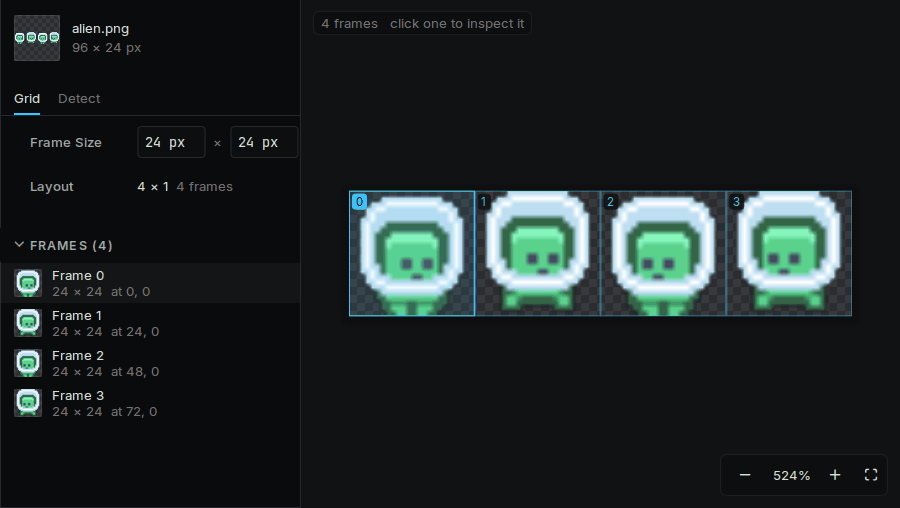
The Sprite Slicer, with a sheet cut into four frames
Each frame can now be chosen in a Sprite field. To make them move, see Animation.
How an image is stored
Select the image in the Asset Browser. Its settings are in the Inspector.
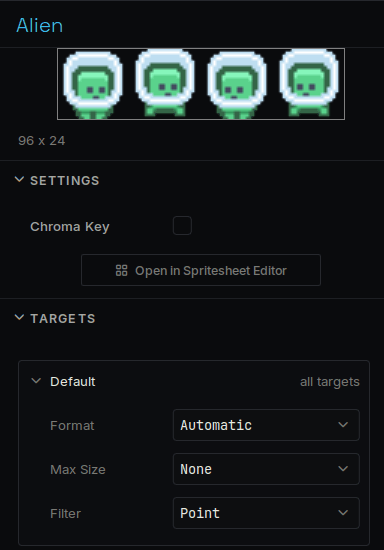
An image's settings
| Setting | What it does |
|---|---|
| Format | How the pixels are stored. Automatic picks the smallest format the screen can show. |
| Max Size | Shrinks a big image to save memory. |
| Filter | Point keeps pixel art sharp. |
Default applies everywhere. Open a device under it to give that device its own values, such as a smaller Max Size on a device with little memory.
From code
#include "SpriteComponent.h"
auto* sprite = GetOwner()->GetComponent<Deki2D::SpriteComponent>();
sprite->SetTint(255, 80, 80);
sprite->flipHorizontal = true;
To swap the image, point a field at the other one in the Inspector:
DEKI_EXPORT
Deki::AssetRef<Deki2D::Sprite> hurtSprite;
sprite->sprite = hurtSprite.Get();