로딩중...
검색중...
일치하는것 없음
Anbernic RG40XX H
이 가이드는 아직 번역되지 않았습니다.
A handheld console that runs Linux, with a 640 x 480 screen, buttons and two sticks. Your game becomes an app in its Apps list. The RG40XX H was provided by Anbernic.
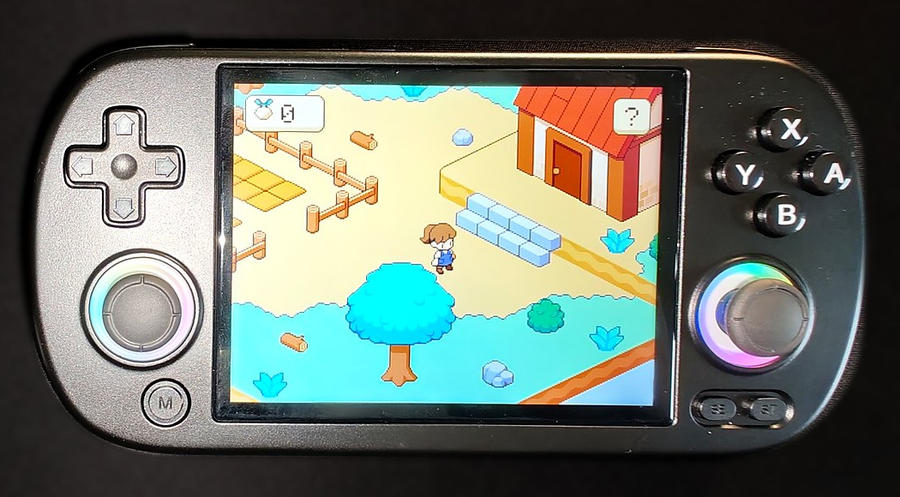
Anbernic RG40XX H
사양
| 항목 | 내용 |
|---|---|
| 프로세서 | Cortex-A53 |
| RAM | 512 MB |
| 화면 | 640 x 480, 4.0 in |
| 색상 형식 | ARGB8888 |
이 디바이스 사용하기
- 패키지 관리자 에서 deki-anbernic-boards 를 설치합니다.
- In the 빌드 패널, choose Anbernic RG40XX H.
- 빌드 후 설치 를 누릅니다.
What is set up for you
Display, buttons and both sticks.
Not set up yet: sound, battery reading, brightness, rumble and HDMI out.
Putting a game on it
The Build panel lists what a build needs. Install there downloads the compiler; CMake, Ninja and GCC 16 for your computer you install yourself.
On the SD card. Put the handheld's card in a card reader. The list of targets shows the drive, and Install copies the game to Roms/APPS/ on it, with its own picture. Eject the card before taking it out, then find the game in the Apps list.
Over Wi-Fi. With the handheld on the same Wi-Fi, Install can send the game with the card still inside. Turn on the handheld's SSH server and give the platform its address (edit the platform, Install over Wi-Fi); the target list then offers it beside the cards. The editor logs in with your SSH key only. The package's README has the steps for the key, once.
Either way every file is checked against the build before it replaces the old game, and an app the editor did not install is left alone. If the game was open, quit it with Menu first.
Buttons
| On the RG40XX H | In your game |
|---|---|
| D-pad, left stick | Arrow keys |
| A, Start | Enter |
| B | Esc |
| X | Space |
| Y | Tab |
| Select | Backspace |
| L1, R1 | Q, E |
| L2, R2 | Z, C |
| Menu | Quits to the handheld's menu |
Both sticks are also read as sticks, from -1 to 1 on each axis: DekiInput::GetStick (see Input).
Good to know
- The game draws at the screen's own 640 x 480 and runs at the panel's 60 frames a second. Pixel art drawn at 2x moves a screen pixel at a time with the camera's Pixel Perfect on.
- The game's log is dekigame.log in its folder on the card.