deki-rendering
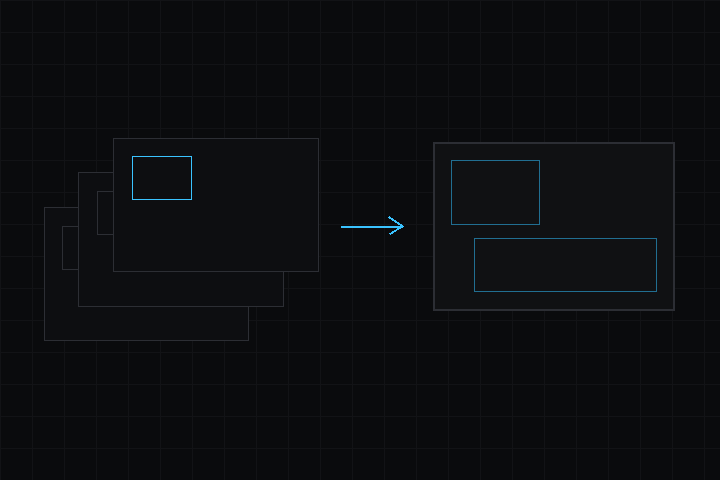
コアのレンダリングパイプライン。カメラ、レンダーシステム、標準 2D レンダラー、QuadBlit、レンダーパス、ソートを提供します。
リポジトリ: github.com/dekiengine/deki-rendering · 最新リリース: 0.19.0 · エンジン 0.19.0 以降が必要
DekiEditor --packages-add deki-rendering <project> か、パッケージマネージャーからインストールします。エンジン自身のコンポーネントと C++ API は Deki のドキュメントにあります。
エディターでは Rendering と表示されます。
コンポーネント
| コンポーネント | カテゴリ | 説明 |
|---|---|---|
| CameraComponent | コア | ビューです。位置、ワールドを映す範囲、クリアカラーを決めます。 |
コンポーネントリファレンス
CameraComponent
ビューです。位置、ワールドを映す範囲、クリアカラーを決めます。
インスペクターでの名前: カメラコンポーネント · カテゴリ: コア · 型: DekiRendering::CameraComponent
| プロパティ | 型 | デフォルト | 制約 | 説明 |
|---|---|---|---|---|
| clearColor | Color | "#314D79FF" | 何かを描く前に画面を塗りつぶす色です。何も覆っていない場所にはこの色が見えます。 | |
| projection | enum | "Orthographic" | Orthographic, Perspective | 平行投影はワールドの一定の高さを平面的に映します。透視投影は視野角で奥行きを映す、3D メッシュ向けの方式です。スプライトはどちらでも平面的に描かれます。 |
| orthoHeight | float | 15 | 0.01 から 100000。単位 m。projection が許すときに表示 | カメラが上から下まで映すワールドの量です。どの画面もこれを高さいっぱいに拡大して表示します (横の x が倍率です)。 |
| pixelPerfect | bool | false | projection が許すときに表示 | ピクセルアート向けです。整数倍でのみ拡大するので、アートの 1 ピクセルが画面上ですべて同じ大きさになり、カメラもアートのピクセルグリッドに合わせます。倍率は切り捨てるため、カメラは平行投影の高さより少し広く映し、1 倍に満たない小さな画面では端が切れます。 |
| fieldOfView | float | 60 | 10 から 150。projection が許すときに表示 | 垂直方向の視野角 (度) です。横長の画面ほど左右が広く見えます。60 が一般的な既定値で、大きくするほど広く、端がゆがんで見えます。 |
| nearPlane | float | 0.1 | projection が許すときに表示 | これより近いものは描かれません。大きくしても負荷は増えず、深度の精度が上がるので、シーンが許す範囲で大きくしてください。 |
| farPlane | float | 100 | projection が許すときに表示 | これより遠いものは描かれません。 |
| clearEveryFrame | bool | true | フレームごとに描く前に画面をクリアします。オフにすると前のフレームが下に残ります。全画面の背景がすべてを覆う場合は速くなり、残像を出したいときにも使えます。 |
プロジェクト設定
レンダリング 設定
プロジェクト設定のセクション Rendering (RenderingProjectSettings) です。
カテゴリ: 設定 · 型: DekiRendering::RenderingProjectSettings
| プロパティ | 型 | デフォルト | 制約 | 説明 |
|---|---|---|---|---|
| halfWidthFramebuffer | bool | false | 横方向を半分の解像度で描き、表示のときに 2 倍に広げます。転送のコストとフレームバッファのメモリは半分になりますが、ピクセルアートは横に 2:1 で引き伸ばされて見えます。 | |
| interlaced60hz | bool | false | 60Hz で、奇数の走査線と偶数の走査線を 1 フレームおきに描きます。フレームごとの処理は半分になりますが、縦の動きで櫛状の乱れが見えます。 | |
| dirtyTileTracking | bool | false | 差分矩形の追跡です。各フレームが描いた矩形を記録し、次のフレームではそこだけをクリアして、変わった部分 (今回と前回のフレームの矩形) だけをディスプレイへ送ります。ほとんど静止したシーンで大きく効き、全体が動くシーンでは管理のコストが少しかかります。部分的な表示ができないディスプレイには、これまでどおりフレーム全体を送ります。 | |
| dirtyTileSize | int32 | 32 | 1 から 256。dirtyTileTracking が許すときに表示 | 差分矩形の揃え単位 (ピクセル) です。各矩形はこの倍数まで広げられます。大きいほど送る回数が減って 1 回が大きくなり、小さな動きは同じ矩形を使い回します。小さいほど矩形がぴったりになります。 |
変更履歴
変更履歴は英語です。
0.19.0
Changed
- minEngine 0.19.0: built against engine 0.19.0, whose component metadata records the package each class is in. A build of this package from before does not load and is rebuilt.
Added
- Japanese, Simplified Chinese and Korean: editor/lang/ja.json, zh.json and ko.json translate the names, tooltips and enum values this package's components show in the Inspector.
- The package's editor text goes through the editor's translation (Tr), so it shows in the editor's language. Needs the editor release that adds Localization.h; raise minEngine to it when releasing.
0.18.2
Added
- RenderProfiler: once enabled, the draws, content time, blit time and pixels per frame of each component type, and the frame's clear. The ESP32's DEKI:PROFILE console request reports it.
Changed
Blits are several times faster on the ESP32.
- A pixel is read from RGB565 sources byte by byte. With memcpy, which GCC makes a function call on the ESP32's Xtensa when the pixel may be unaligned, every pixel cost a call.
- A 1:1 sprite drawn onto RGB565 with a tint or alpha tint runs in one loop per row, with the tint worked out once for each of RGB565's channel values. It went through the per-pixel pipeline.
- So does a sprite drawn onto RGB565A8 scaled or tinted: each particle into its emitter's composite. The demo's two fountains took 3.6 ms a frame on a LilyGO T-Deck, now 2.4 ms.
The pixels are the same as before.
それ以前のリリース: CHANGELOG.md
パッケージのリフレクションデータから生成しています (エンジン 0.19.0)。プロパティ名はシーンファイルで使われるキーです。名前を変えても別名が残ります (互換性)。