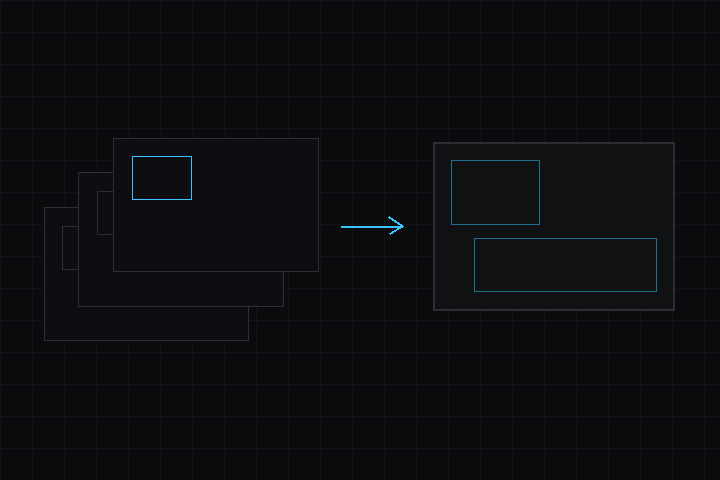
Core rendering system with camera and renderer components
Repository: github.com/dekiengine/deki-rendering · Latest release: 0.19.0 · Needs engine 0.19.0+
Install with DekiEditor --packages-add deki-rendering <project>, or from the Package Manager. The engine's own components and C++ API are in the Deki docs.
Shown in the editor as Rendering.
Components
| Component | Category | Description |
|---|---|---|
| CameraComponent | Core | The view: position, how much world it shows, and clear color. |
Component reference
CameraComponent
The view: position, how much world it shows, and clear color.
Inspector name: Camera Component · Category: Core · Type: DekiRendering::CameraComponent
| Property | Type | Default | Constraints | Description |
|---|---|---|---|---|
| clearColor | Color | "#314D79FF" | Colour the screen is filled with before anything is drawn. What shows wherever nothing covers it. | |
| projection | enum | "Orthographic" | Orthographic, Perspective | Orthographic shows a fixed height of world, flat. Perspective shows a field of view in depth, for 3D meshes; sprites still draw flat. |
| orthoHeight | float | 15 | 0.01 to 100000; in m; shown when projection allows | How much world the camera shows top to bottom. Every screen scales it to fill its height (the x beside it). |
| pixelPerfect | bool | false | shown when projection allows | For pixel art. Scales by whole numbers only, so every art pixel is the same size on screen, and snaps the camera to the art-pixel grid. Rounds down: the camera shows a little more than its ortho height, and a screen too small for 1x crops. |
| fieldOfView | float | 60 | 10 to 150; shown when projection allows | Vertical field of view in degrees. A wider screen sees more at the sides. 60 is a common default; larger looks wider and more distorted at the edges. |
| nearPlane | float | 0.1 | shown when projection allows | Nothing closer than this is drawn. Raising it costs nothing and buys depth precision, so keep it as large as the scene allows. |
| farPlane | float | 100 | shown when projection allows | Nothing further than this is drawn. |
| clearEveryFrame | bool | true | Clear before each frame. Off, the previous frame stays underneath: faster when a full-screen background covers everything, and occasionally what you want for trails. |
Project settings
Rendering settings
Project settings section Rendering (RenderingProjectSettings).
Category: Settings · Type: DekiRendering::RenderingProjectSettings
| Property | Type | Default | Constraints | Description |
|---|---|---|---|---|
| halfWidthFramebuffer | bool | false | Render at half horizontal resolution and double-up at present time. Halves blit cost and framebuffer memory but pixel art looks 2:1-stretched horizontally. | |
| interlaced60hz | bool | false | Render odd scanlines one frame, even the next, at 60Hz. Halves per-frame work but produces visible combing on vertical motion. | |
| dirtyTileTracking | bool | false | Dirty-rect tracking: record the rectangles each frame draws, clear only those next frame and push only what changed (this frame's and last frame's rectangles) to the display. Big win for mostly-static scenes; small bookkeeping cost for fully-animating ones. Displays that cannot present partial frames still receive whole frames. | |
| dirtyTileSize | int32 | 32 | 1 to 256; shown when dirtyTileTracking allows | Alignment of dirty rectangles in pixels: each rectangle is rounded out to multiples of this. Larger = fewer, bigger pushes and a small movement reuses the same rectangle; smaller = tighter rectangles. |
Changelog
0.19.0
Changed
- minEngine 0.19.0: built against engine 0.19.0, whose component metadata records the package each class is in. A build of this package from before does not load and is rebuilt.
Added
- Japanese, Simplified Chinese and Korean: editor/lang/ja.json, zh.json and ko.json translate the names, tooltips and enum values this package's components show in the Inspector.
- The package's editor text goes through the editor's translation (Tr), so it shows in the editor's language. Needs the editor release that adds Localization.h; raise minEngine to it when releasing.
0.18.2
Added
- RenderProfiler: once enabled, the draws, content time, blit time and pixels per frame of each component type, and the frame's clear. The ESP32's DEKI:PROFILE console request reports it.
Changed
Blits are several times faster on the ESP32.
- A pixel is read from RGB565 sources byte by byte. With memcpy, which GCC makes a function call on the ESP32's Xtensa when the pixel may be unaligned, every pixel cost a call.
- A 1:1 sprite drawn onto RGB565 with a tint or alpha tint runs in one loop per row, with the tint worked out once for each of RGB565's channel values. It went through the per-pixel pipeline.
- So does a sprite drawn onto RGB565A8 scaled or tinted: each particle into its emitter's composite. The demo's two fountains took 3.6 ms a frame on a LilyGO T-Deck, now 2.4 ms.
The pixels are the same as before.
Earlier releases: CHANGELOG.md.
Generated from the package's reflection data (engine 0.19.0). Property names are the keys used in scene files. Renames keep an alias (compatibility).